Asset Browser and duplicates
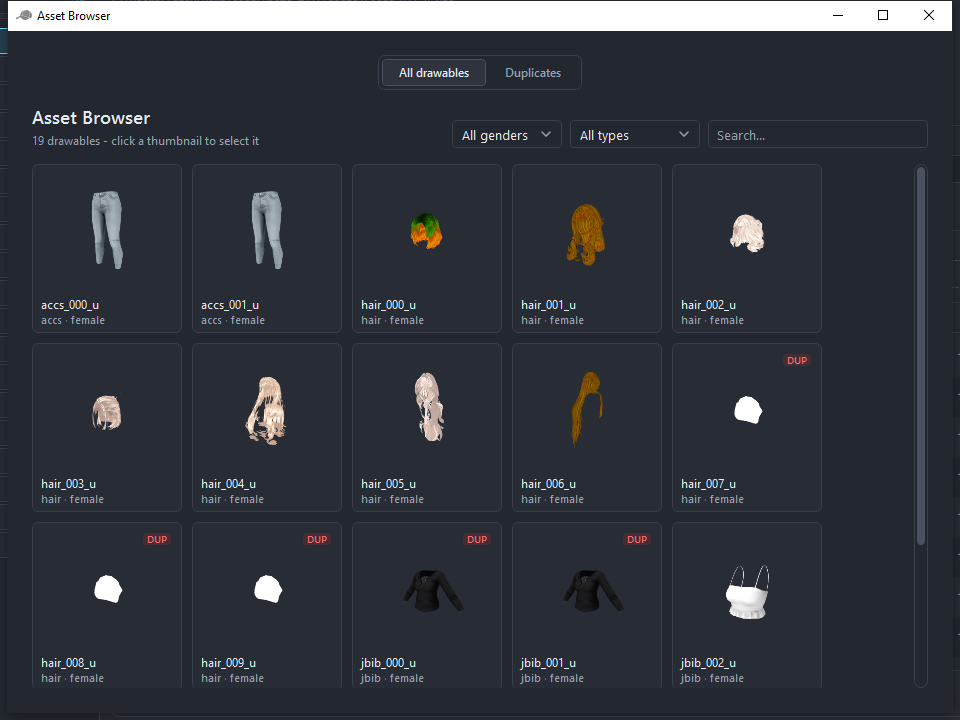
View > Asset Browser shows every drawable of the project as thumbnails, with filters for gender and type and a search box.
Duplicates mode
Duplicates are drawables with the same model fingerprint: file size, type, gender, polygon counts and texture count. They waste space in the resource and confuse players with identical items. The Duplicates mode groups them and colour-codes the groups, the same colours as the DUP badges in the drawable list.
Per group:
- Move textures... opens a dialog that moves the texture variants of the copies onto the original, with a compare view for each texture, so one drawable ends up with every variant.
- Ignore marks the group as intentional and hides its badges.
- Delete all except first removes the copies.
Delete all duplicates does that for every group at once. Right-clicking a thumbnail selects the drawable in the project, ignores that one item, or deletes it.
Compare textures
The compare window shows two textures side by side with synchronized zoom and pan, Fit, 1:1, 4x and Swap. It opens from the move-textures dialog.