Settings
Settings in the title bar opens the settings page.
Account
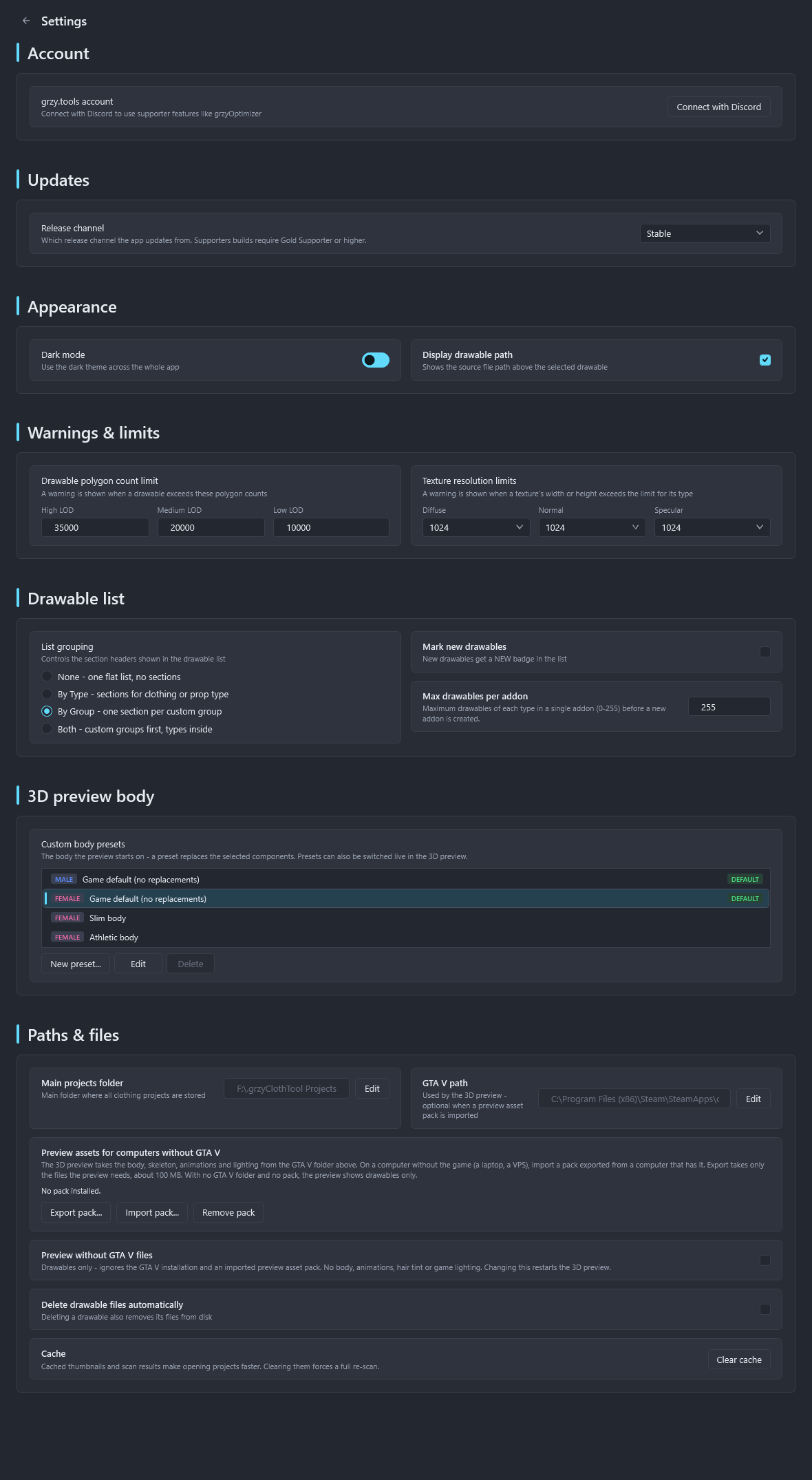
Connect with Discord links the grzy.tools account used by grzyOptimizer and the supporters update channel. The card shows the avatar, name and supporter tier once connected, with Refresh to re-check the tier after a purchase and Disconnect. See Account and supporters.
Updates
Release channel picks where updates come from: Stable, Beta for pre-releases, or Supporters for early builds, Gold Supporter and above.
Appearance
- Dark mode switches the whole app, including the 3D preview panel.
- Display drawable path shows the source file path above the selected drawable.
Warnings and limits
- Drawable polygon count limit per LOD. Drawables above it get a warning badge. Defaults: 35000, 20000 and 10000.
- Texture resolution limits per texture type. Textures above it get a warning badge. Default 1024 for diffuse, normal and specular.
Drawable list
- List grouping: none, by type, by custom group, or both.
- Mark new drawables adds a
NEWbadge to drawables added in this session. - Max drawables per addon: the number of drawables of one type before a new addon is started, 255 by default.
3D preview body
Custom body presets for the preview. New preset... asks for a name, the ped gender, and a .ydd and optional .ytd per component. One preset can be made the default body. See 3D preview.
Paths and files
- Main projects folder: where new projects are created.
- GTA V path: used by the 3D preview, optional when a preview asset pack is imported.
- Preview assets for computers without GTA V: Export pack..., Import pack... and Remove pack. See Preview without GTA V.
- Delete drawable files automatically: deleting a drawable also deletes its files from disk.
- Cache: thumbnails and scan results that make opening projects faster. Clear cache forces a full re-scan.