Optimize textures and UVs
Right-click a drawable, or several, and pick Optimize textures and UVs.... The window combines every texture-side optimization in one pass and shows the result before anything is written.
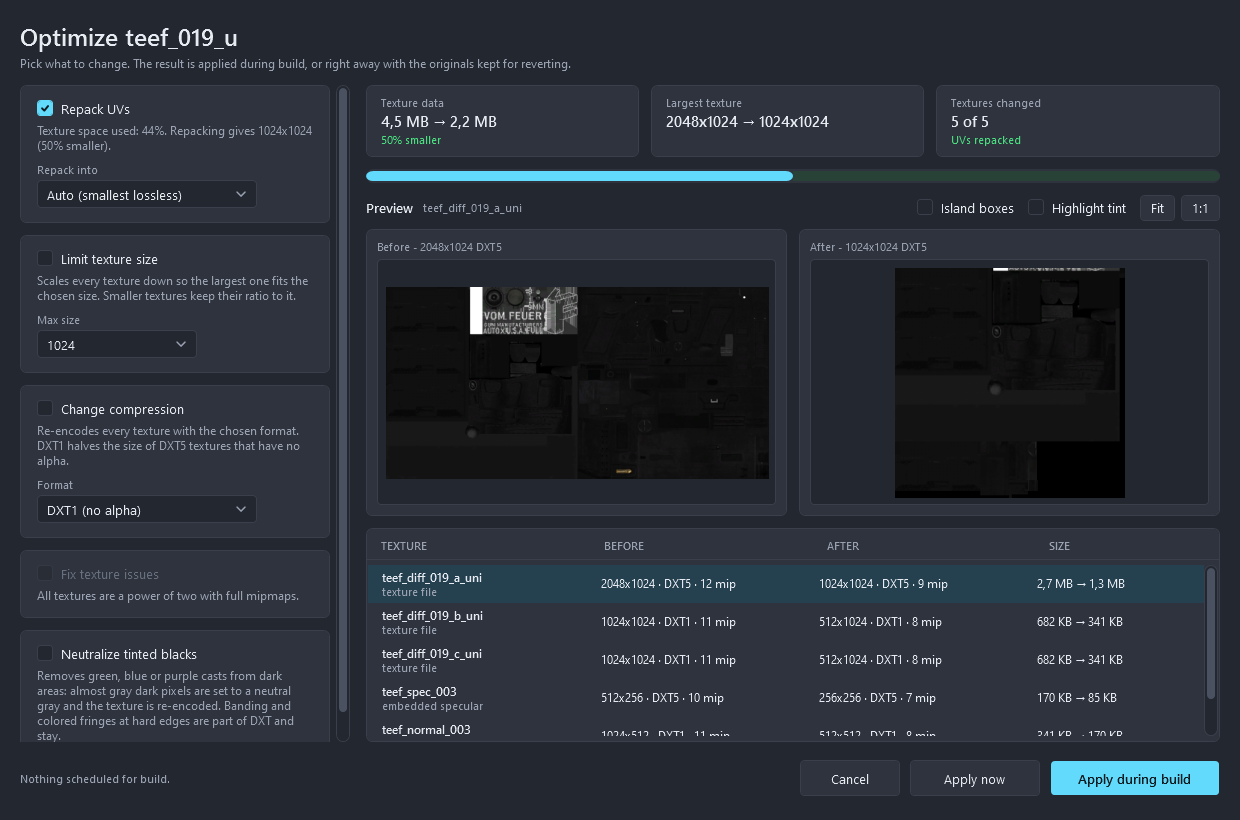
Options
Repack UVs
Many clothing textures use a small part of their area. Repacking finds the UV islands, packs them tightly into the smallest power-of-two texture that fits, rewrites the UVs of every LOD and the first person model, and rebuilds every texture to the new layout. The islands keep their shape and orientation, only their position changes, so the texture that matches the base size is copied block by block without any quality loss. Smaller textures such as normal and specular maps are resampled into the new layout. Textures stored as BC7 or ATI1/ATI2 (BC4/BC5) cannot be copied block by block, so they are resampled and written as DXT5.
Repack into picks the target:
- Auto is the smallest lossless size.
- A fixed size forces that texture. When the islands need more room than it offers, they are shrunk uniformly until they fit, which loses detail like downscaling would. A warning under the picker says by how much, and it also says when the fixed size is larger than needed.
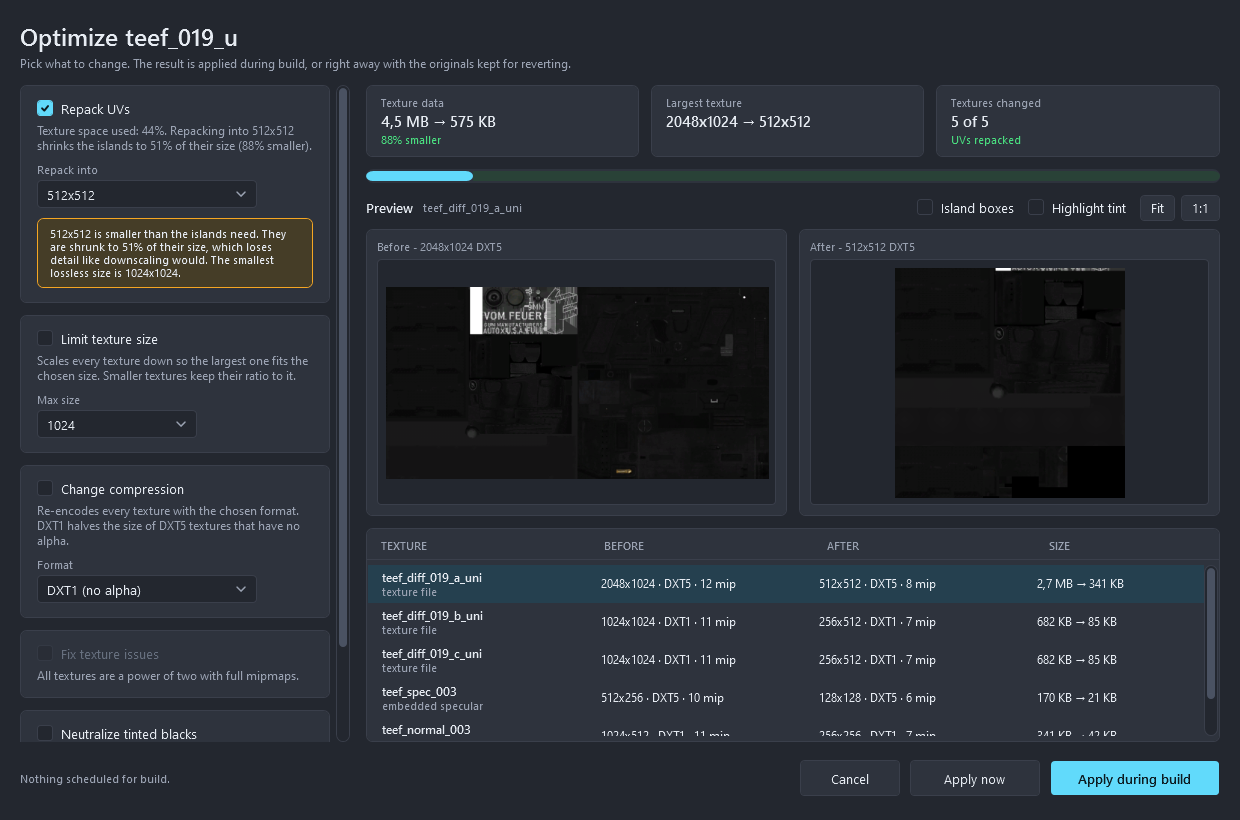
Repacking is skipped for drawables whose UVs tile across the texture, and for encrypted drawables.
Limit texture size
Scales every texture down so the largest one fits the chosen size, 2048 down to 128. Smaller textures keep their ratio to it. Combined with repacking, the limit applies after the empty space is removed, which keeps far more detail than downscaling alone.
Change compression
Re-encodes every texture as DXT1 or DXT5. DXT1 halves the size of DXT5 textures that don't use alpha. BC7 and ATI1/ATI2 sources are decoded and re-encoded like any other texture.
Fix texture issues
Resizes textures that are not a power of two and regenerates missing mipmaps. It is checked automatically when the drawable has such textures.
Neutralize tinted blacks
Some encoders leave dark grays with a green, blue or purple cast, which shows on black clothing. This sets almost gray dark pixels to a neutral gray and re-encodes the texture. It applies to every texture of the drawable. Banding and colored fringes at hard edges are part of DXT compression and stay.
Reading the result
- The tiles show the total texture data before and after, the largest texture, and how many textures change.
- The bar shows how much of the current data remains.
- The before/after panes show the texture selected in the table, rendered through the real pipeline, so compression artifacts and the tint fix appear as they will in game. Wheel zooms, drag pans, double-click fits. Island boxes outlines what the repack moves, Highlight tint exaggerates the color of dark pixels to make a cast visible.
- The table lists every texture, including embedded normal and specular maps, with its size, format and mip count before and after, and the estimated bytes.
Applying
- Apply during build keeps the source files untouched and applies the options while the resource is built. The choices are saved with the project.
- Apply now rewrites the drawable, the first person model and the textures on disk right away. The originals are kept next to them with a
.grzy-backupsuffix, and Revert in the window or Revert optimization in the drawable menu restores them.
With several drawables selected the same options are applied to each of them, and repacking happens only where the UV layout allows it.
All options work for FiveM, alt:V and singleplayer builds.