3D preview
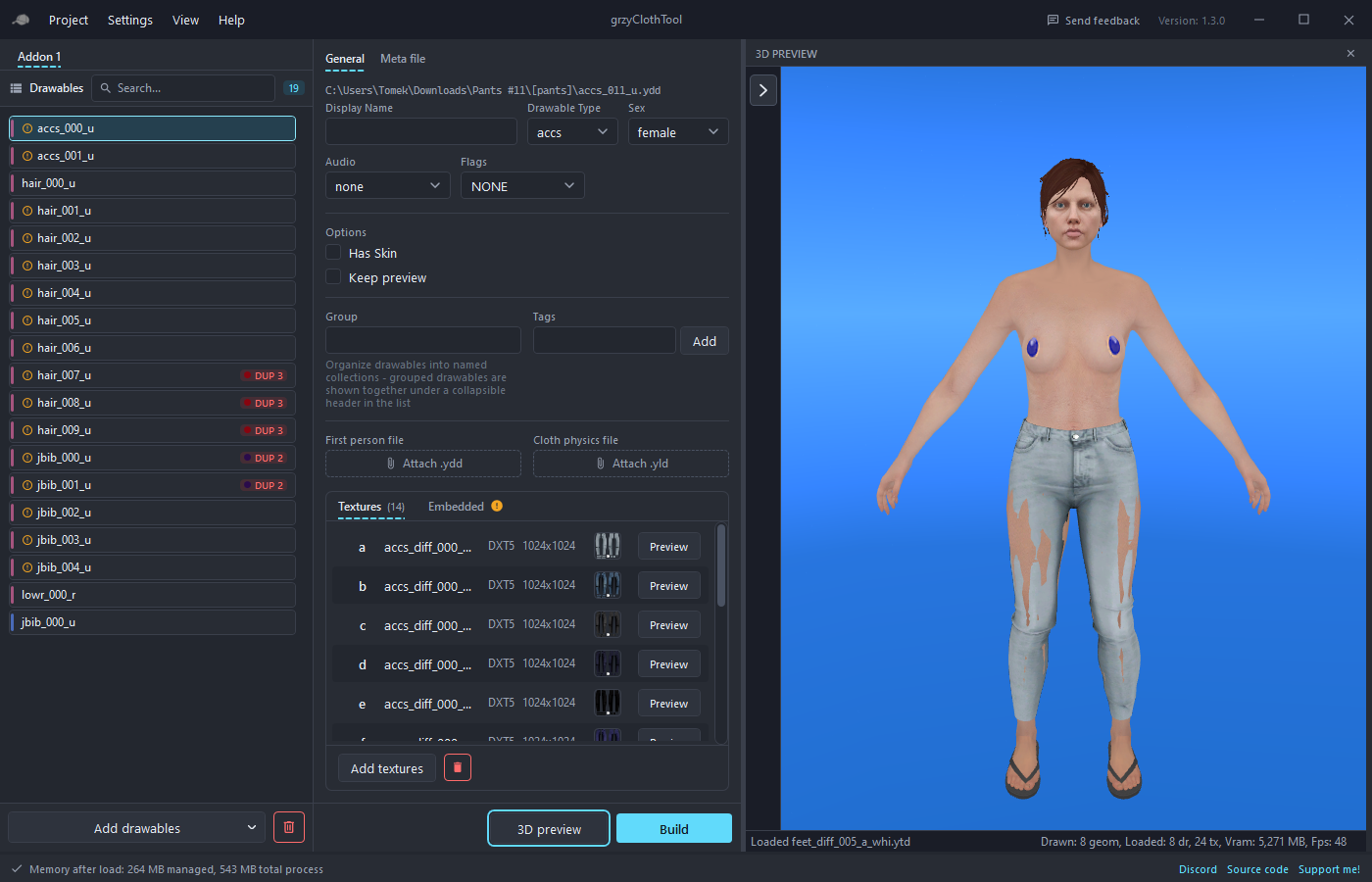
The 3D preview button opens a live render of the ped on the right side of the project view. It uses the game's own renderer, so what it shows is what the game shows. Double-clicking a drawable or a texture opens it there too.
What it shows
- The selected drawable on the ped, with the selected texture variant.
- Any drawable with Keep preview enabled stays on the ped, so a full outfit can be checked.
- High heels raise the ped by the configured amount and hair shrinks under hats by the hair scale.
- Wireframe, skeleton and the base-game components around the drawable can be toggled.
Tools
Show tools opens the side rail:
- Ped: the ped model, the body preset, the base-game components (head, beard, hair, upper, lower, feet) and the hair tint colors.
- Scene: auto rotate, only the selected drawable, wireframe, skeletons, floor, game sky, time of day, light direction, shadows, HDR and render debug modes.
- Anim: a clip dictionary and clip, playback speed and root motion, so clothing can be checked in motion.
- Models: the model tree with vertex and polygon counts per LOD.
- Textures: a live texture preview that watches a folder, so an exported image can be edited in another program and reloads on save.
- Camera: position, rotation, distance and camera presets.
Body presets
A body preset replaces the base-game components the preview starts on, for example a slim or athletic body. Presets are created in Settings under 3D preview body from .ydd and .ytd files and can be switched live in the Ped tab.
Preview without GTA V
The preview normally reads the ped, skeleton and lighting from the GTA V installation set in Settings. Two other modes exist:
- Preview asset pack: on a computer with the game, Settings > Export pack... writes a zip of about 100 MB with everything the preview needs. Import pack... on another computer, a laptop or a VPS, installs it and the full preview works there without the game.
- Drawables only: with no game and no pack, the preview still renders the selected drawables on their own, without the body.
Which mode is active is shown in the preview status text.
Notes
- The preview pauses while a resource is built, so it does not slow the build down.
- Encrypted drawables cannot be previewed.
- The preview panel can be resized with the splitter and closed with Close 3D preview.