FAQ
Where are my projects?
In the main projects folder set on first run, one subfolder per project. The path can be changed in Settings. Each project folder holds the save file, the last five backups in save-backups, the assets of a self-contained project, and build_output.
The tool says files are missing
The project is external and its files moved. Use Fix missing files... in the red banner to search a folder for them or relink them by hand. See Getting started.
Can I open a pack that was built by another tool?
Yes. Open addon > From resource folder takes the resource folder and finds the clothing metas inside it. See Getting started.
Can I mix Legacy and Enhanced files?
Yes. Either format builds for either game edition, the tool converts on the way out. The list shows which is which when both are present. See Build.
Why is the Enhanced build slower than the Legacy one?
Legacy files are copied as they are. An Enhanced build converts every model and texture to the gen9 format and compresses it, which is CPU work. The converted files are cached in the project, so a second Enhanced build is fast.
I deleted something by mistake
Ctrl+Z brings it back, files included. See Undo.
How many drawables fit in one addon?
255 of each type. The tool starts a new addon automatically when a type is full, so a project can be as large as needed. Older resources that expect 128 can set the limit in Settings.
The 3D preview does not start
Check the GTA V path in Settings. Without the game, import a preview asset pack exported from another computer; with neither, the preview shows drawables only. See 3D preview.
What does Optimize textures and UVs change on disk?
Nothing, unless Apply now is used. Apply during build only changes the built resource. Apply now keeps the originals next to the files with a .grzy-backup suffix and can be reverted. See Optimize textures and UVs.
Black parts of my texture look green in game
That is how the texture was encoded before it reached the tool. Neutralize tinted blacks in the optimize window re-encodes it with neutral grays. See Optimize textures and UVs.
Where do I report a bug?
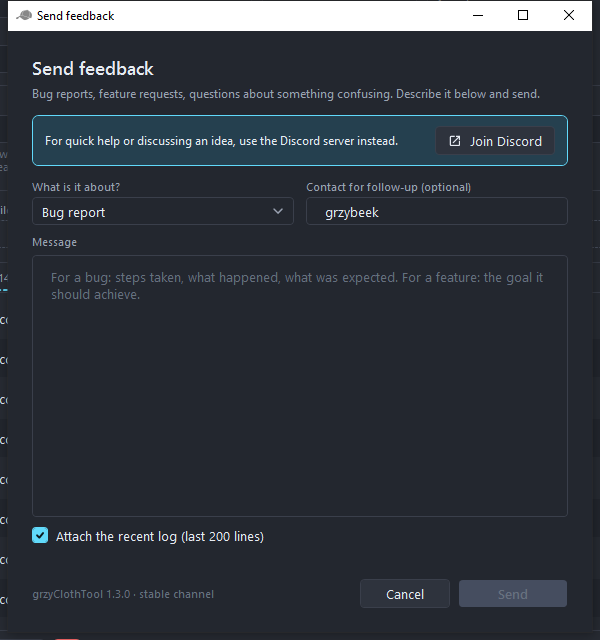
Help > Send feedback... in the tool attaches the recent log, or join the Discord.
Where are the logs?
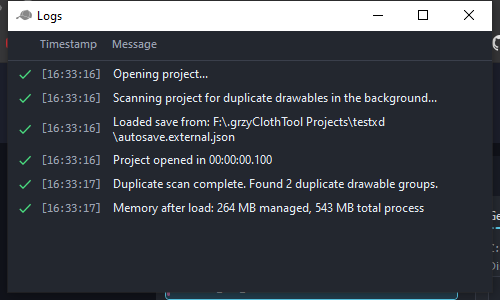
View > Logs shows the log of the current session, the status bar shows the last entry, and Help > Open logs folder opens the log files on disk.